
neerlan2me
Dutch for travelling: lessons, readings, pronunciation and a voice translator.
What it is
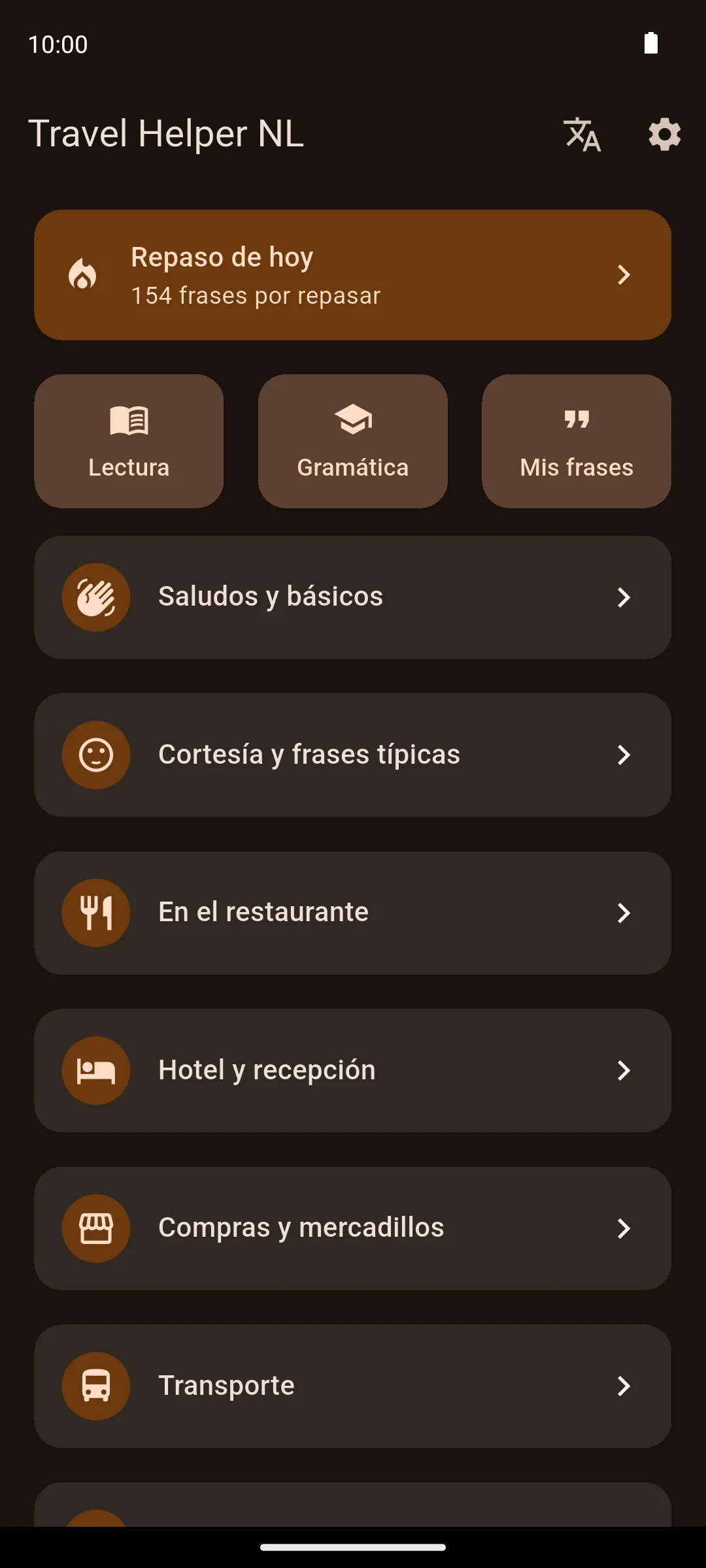
neerlan2me helps you get by in Dutch while travelling. It brings together travel phrases with phonetic spelling, microphone practice, spaced review, short grammar notes and short readings. It also includes a voice translator between Dutch and Spanish or English. The interface is in Spanish and English, and that base language is the one used for translations and pronunciation.
How it works
neerlan2me was the first app in the Travel Helper family, and the engine they all share today came out of its code. The app only contributes what is specific to the language: the Dutch of the Netherlands for voice, recognition and translation, and content written for Dutch.
The phrases are stored in a local database on first launch. Each phrase has the Dutch text, its Spanish and English translations, and a phonetic spelling for each of those two languages. Review uses Leitner boxes: a correct answer pushes the phrase further out in the calendar, up to a month, and a mistake brings it back to the coming days.
In practice mode, the app shows the phrase in the base language, reveals it in Dutch, speaks it with the system voice and listens to the user. Six out of ten matching words are enough for it to count as correct; otherwise it shows what it understood.
Main features
- 154 phrases in 15 travel situations, including restaurant, hotel, transport, airport, doctor and emergencies, and one devoted to sightseeing in Amsterdam.
- Phonetic spelling for Spanish and English speakers, such as "khoo-duh-mor-khun" for Goedemorgen.
- Microphone practice, with the recognised phrase shown for correction.
- Spaced review with six boxes and intervals of 0, 1, 3, 7, 14 and 30 days.
- Seven grammar notes: the articles de and het, verb-second word order, negation with niet and geen, plurals in -en and -s, personal pronouns, the present tense and the -je diminutive.
- Four short readings, such as a day in Amsterdam or the weather in the Netherlands, with translation and audio.
- Voice or text translator in both directions, with playback of the result.
- "My phrases" for saving your own phrases with their translation.
- Settings for base language, light or dark theme and voice speed.
Technology
Flutter and Dart with Riverpod, go_router and SQLite through Drift. Voice uses the system's text-to-speech and recognition services. On mobile, translation works offline with Google ML Kit after downloading the models once; on desktop, a public online translation service is used.
Limits
It is a travel aid, not a full Dutch course. The phonetic spelling is an approximation and the voice comparison looks at words, not accent. Speech recognition depends on the system service, which may process audio off the device; the app does not record or keep audio. On desktop, the translator needs an internet connection. There are no accounts or advertising, and progress stays on the device.
In the same category
 eCie10Tutor
Learn to code with ICD-10-ES (Spanish edition of ICD-10: diagnoses and procedures).
 eLogica
From logic gates to your own CPU: circuit editor and simulator with tests, plus the ASH-16 CPU with assembler and debugger.
 eAnatomia
Topographic anatomy study tool: levels, regions, planes, directions and positions, with diagrams and a final test.
 eCienciasESO
Maths, Physics and Chemistry review for Spanish secondary school (2nd and 3rd ESO), with theory, exercises and labs.