
RVMManager
VMware Workstation virtual machines: scheduled start and shutdown, VMDK disks and cold backups.
What it is
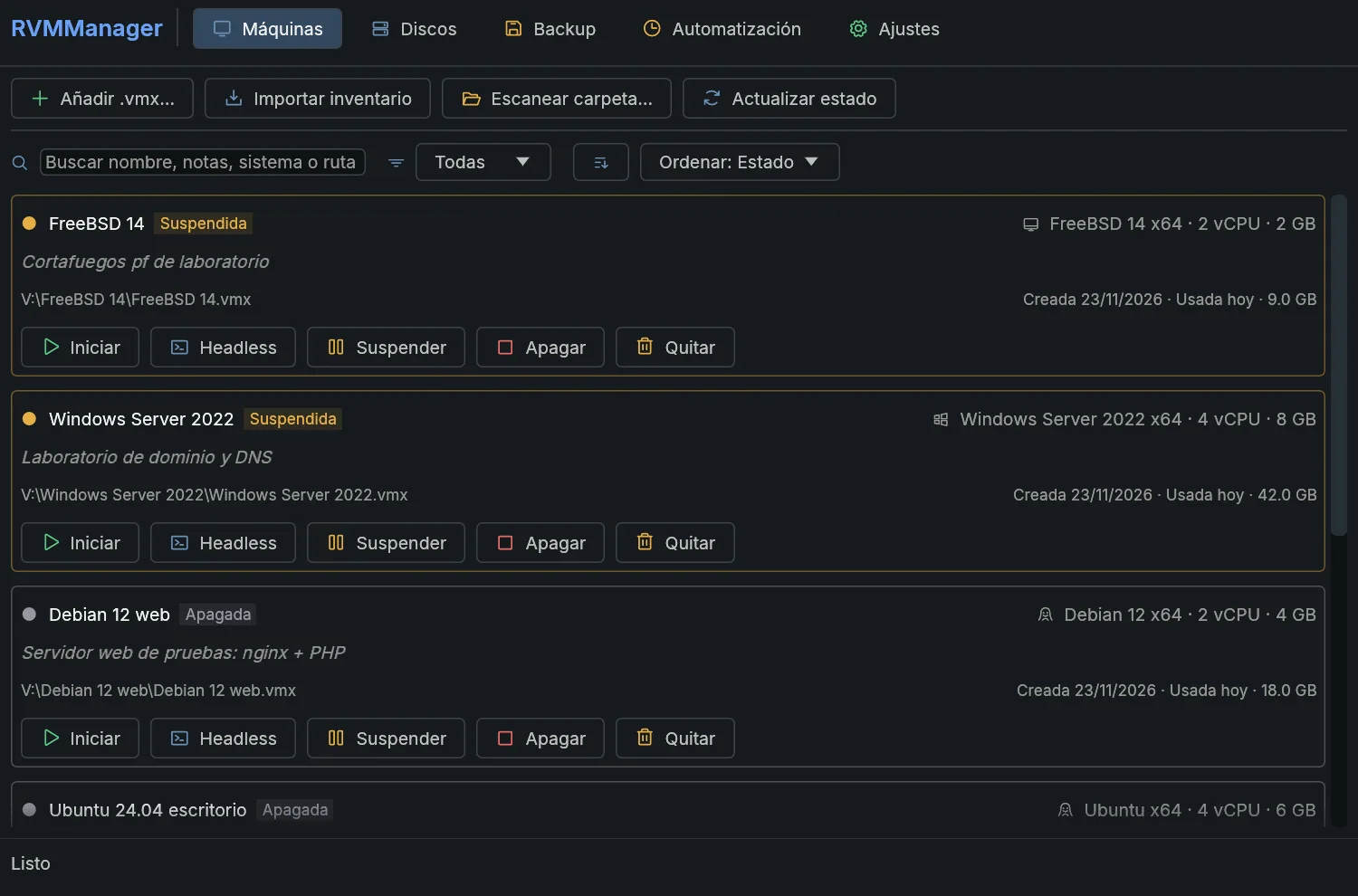
RVMManager manages VMware Workstation virtual machines from a single window. It gathers all your VMs in one list with their status and details, and adds what Workstation does not offer out of the box: starting them automatically at sign-in or at a set time, shutting them down in order when the computer shuts down, maintaining their disks and making cold backups.
How it works
RVMManager does not replace VMware: it locates its installation and orchestrates its command-line tools, vmrun for power and vmware-vdiskmanager for disks. Each VM's status is checked every few seconds and its details are read directly from its .vmx file.
Automation relies on system mechanisms:
- Start-up: it creates Task Scheduler tasks that call the app itself in command-line mode. Since creating tasks requires administrator rights, the app relaunches itself elevated just once to apply them all.
- Shutdown: it installs a group policy script, because the system does wait for those scripts when shutting down, but not for scheduled tasks. The script asks all VMs to shut down gracefully in parallel and forces off those still running after the time limit. Before touching the policy files it keeps a backup copy.
Every operation is also available from the command line, for use in scripts.
Main features
- Inventory imported from VMware, by scanning folders or by adding
.vmxfiles by hand. - Start with or without a window, graceful shutdown, suspend and restart, with live status.
- Details for each VM: name, operating system, processors, memory, notes, dates and size on disk.
- Accent-insensitive search, filter by status and sorting by several criteria.
- Encrypted VMs: the password is checked and stored in the Credential Manager so they can be started on a schedule.
- VMDK disks: compact, expand, create, clone, rename and mount as a drive.
- Cold backup: shuts the VM down if needed, archives it compressed with its SHA-256 fingerprint, applies retention and starts it again even if the backup fails.
- Backup verification, and restore always into a new folder, without overwriting the original VM.
- Optional control by an AI assistant through eHub: query, start, stop and suspend, without deleting anything or touching disks.
Technology
Rust with egui for the interface and the house's shared theme. Backups use tar archives compressed with zstd and SHA-256 fingerprints. There is no unsafe code in the project: processes and the registry are handled through safe APIs.
Limits
Backups are cold only: while the VM is running its disks are locked, and Workstation offers no block-level incremental backups. Graceful shutdown needs VMware Tools in the guest. VMs started automatically open with a window, because Workstation VMs live in the user's session. The computer shutdown script cannot use the passwords of encrypted VMs.
Requirements
Not part of the app: installed separately from their official websites, each under its own licence.
- VMware Workstation
In the same category
 eOreInvest
Tracking of metals, energy, mining and crypto markets.
 eAndSMBNav
Browser for SMB2/3 shared folders.
 eNetVigía
Local network monitoring with industrial protocols: passive listening, careful scans and alerts.
 eRemote
VNC and RDP servers in one list: each connection in its own window, fit to screen and per-server keyboard.