eDiskMon
Disk drive monitor: SMART, temperatures, usage and fill-up forecast, failure risk and system events, with alerts.
What it is
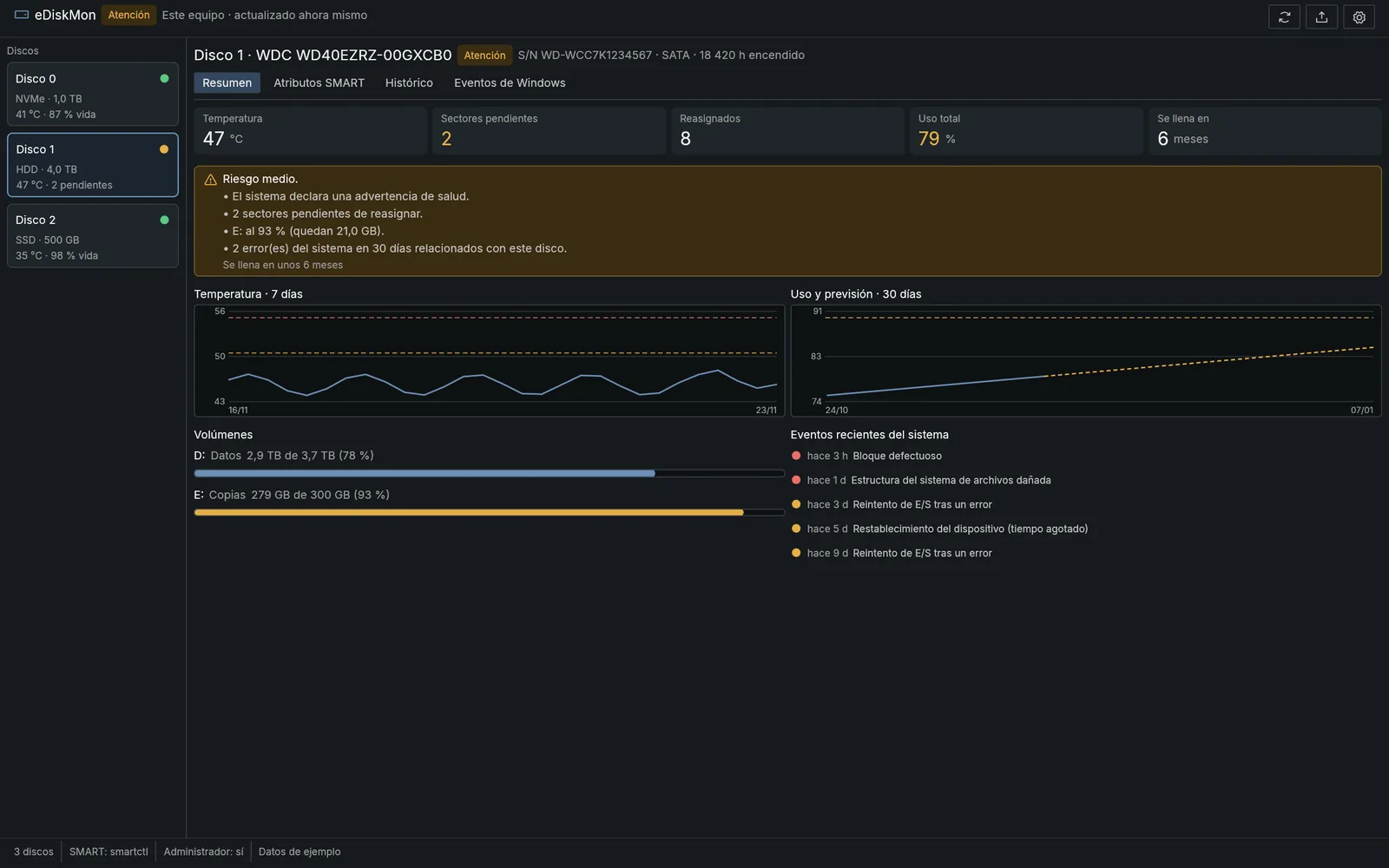
eDiskMon watches the machine's disk drives: temperature, SMART attributes, wear, bad sectors, usage of each volume and storage-related system events. From all of that it works out a risk level, estimates when each volume will fill up and raises an alert when a new problem appears. It is portable and self-contained: no installation, services or connection required.
How it works
On Windows it reads WMI and the storage counters through PowerShell, which ships with the system. Without administrator rights some drives report their SMART attributes and others only basic information; the app says so and offers to restart as administrator to complete the data. If there is a smartctl next to the executable, it uses it to extend the information, but it is not required.
Each reading is appended to a JSON Lines history in the datos folder next to the executable. The analysis works on that history:
- The risk level (OK, Attention or Critical) combines the self-test, the wear and spare capacity of SSD and NVMe drives, the pending, uncorrectable and reallocated sectors of hard drives, media errors, temperature according to drive type and recent events. Both the value and its trend count: a few sectors that keep growing weigh more than many stable ones.
- The fill-up date is estimated by linear regression over each volume's usage.
Main features
- Status of each drive: model, capacity, temperature, power-on hours, wear, spare cells, sectors and volumes with their usage.
- Full SMART table when the drive provides it.
- Risk level with the reasons explained.
- Fill-up forecast per volume.
- Storage system events (
disk,Ntfs,stornvme,storahci…) linked to each drive. - History charts of temperature, usage, sectors and wear.
- System notifications when a problem appears or escalates, without repeating while the cause remains; also with the window minimised.
- Usage and temperature limits, global or per drive, and an exportable HTML report.
- Console mode that prints or saves the drives and their assessment as JSON.
- Control by an AI assistant through eHub, off by default and read-only: status, drive details, events and alerts.
Technology
Rust with egui and the house theme. Notifications use notify-rust; dates, chrono; data and history are stored as JSON. Only one window at a time.
Limits
The risk level is a signal, not a guarantee: some drives fail without warning. USB drives only show SMART if their enclosure passes it through, and without administrator rights some drives provide less data. Alerts arrive while the app is open or minimised; it does not run as a service.
In the same category
 eOreInvest
Tracking of metals, energy, mining and crypto markets.
 eAndSMBNav
Browser for SMB2/3 shared folders.
 eNetVigía
Local network monitoring with industrial protocols: passive listening, careful scans and alerts.
 RVMManager
VMware Workstation virtual machines: scheduled start and shutdown, VMDK disks and cold backups.