eBackup
Versioned backups of the suite's folders and data: stores only what changes, restores by date and never overwrites files.
What it is
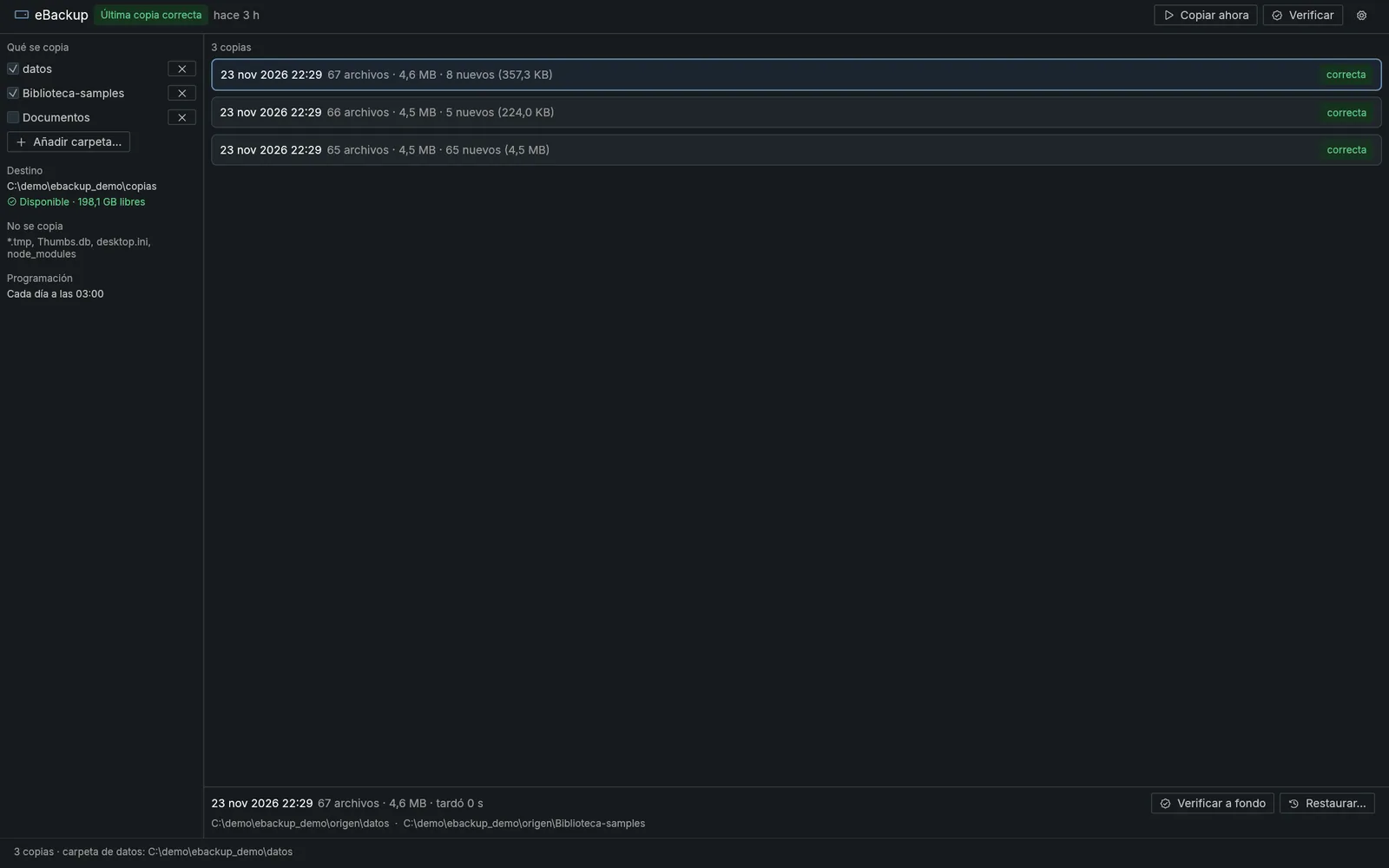
eBackup makes versioned backups of the folders you choose: the data of the suite's apps, databases, a sound library or anything else. Each backup stores only what changed since the previous one, can be restored by date and never overwrites a file that already exists. It is portable: settings live next to the executable and backups only in the destination.
How it works
Each file is identified by its BLAKE3 hash. The destination has two parts:
objetos/: the content of each file, stored only once with its hash as the name.copias/: one list per backup, with a header and one line per file (source, path, size, date and hash).
A new backup only writes the contents that were not there yet. Deleting an old backup does not break the others, because contents are shared and only removed when no backup uses them.
Retention keeps the most recent backup for each of the last days and weeks (by default 7 daily and 4 weekly) and the latest one is always kept. When restoring, files go to the folder you choose, with their original modification dates; if a file already exists there, it is left alone.
Main features
- List of source folders, each one can be switched off without removing it, and exclusions such as
*.tmpornode_modules. - Selectable, changeable destination: an external drive or a network share. If it is unavailable, it warns you or skips that backup, as you prefer.
- Content-based incremental backups: whatever has not changed is not written again.
- Restore the whole backup or a single path by date.
- Configurable daily and weekly retention, with clean-up of unused contents.
- Quick verification (each content exists and has the right size) or a thorough one (recomputes the hashes).
- Daily or weekly schedule while the app is open, and a button to create a Windows Task Scheduler task that backs up with the app closed.
- Console commands to back up, list, verify and restore, with an exit code.
- Control by an AI assistant through eHub, off by default: status, list of backups, back up now, verify and restore in two steps (preview and confirmation with a token). It reports when a backup finishes or fails.
Technology
Rust with egui and the house theme. Hashes use blake3; free space on the destination, fs4; dates, chrono. Settings and backup lists are readable JSON. Only one window at a time.
Limits
It neither encrypts nor compresses backups: each content is stored as is. It does not follow symbolic links. The default exclusions do not include folders such as target or build, because some of the suite's apps keep user data there. Scheduled backups with the app closed rely on the Windows Task Scheduler; otherwise the app has to be open.
In the same category
 eOreInvest
Tracking of metals, energy, mining and crypto markets.
 eAndSMBNav
Browser for SMB2/3 shared folders.
 eNetVigía
Local network monitoring with industrial protocols: passive listening, careful scans and alerts.
 RVMManager
VMware Workstation virtual machines: scheduled start and shutdown, VMDK disks and cold backups.