
eImagina
Generates and retouches images locally with Z-Image-Turbo (through eModelServer), with a thumbnail history.
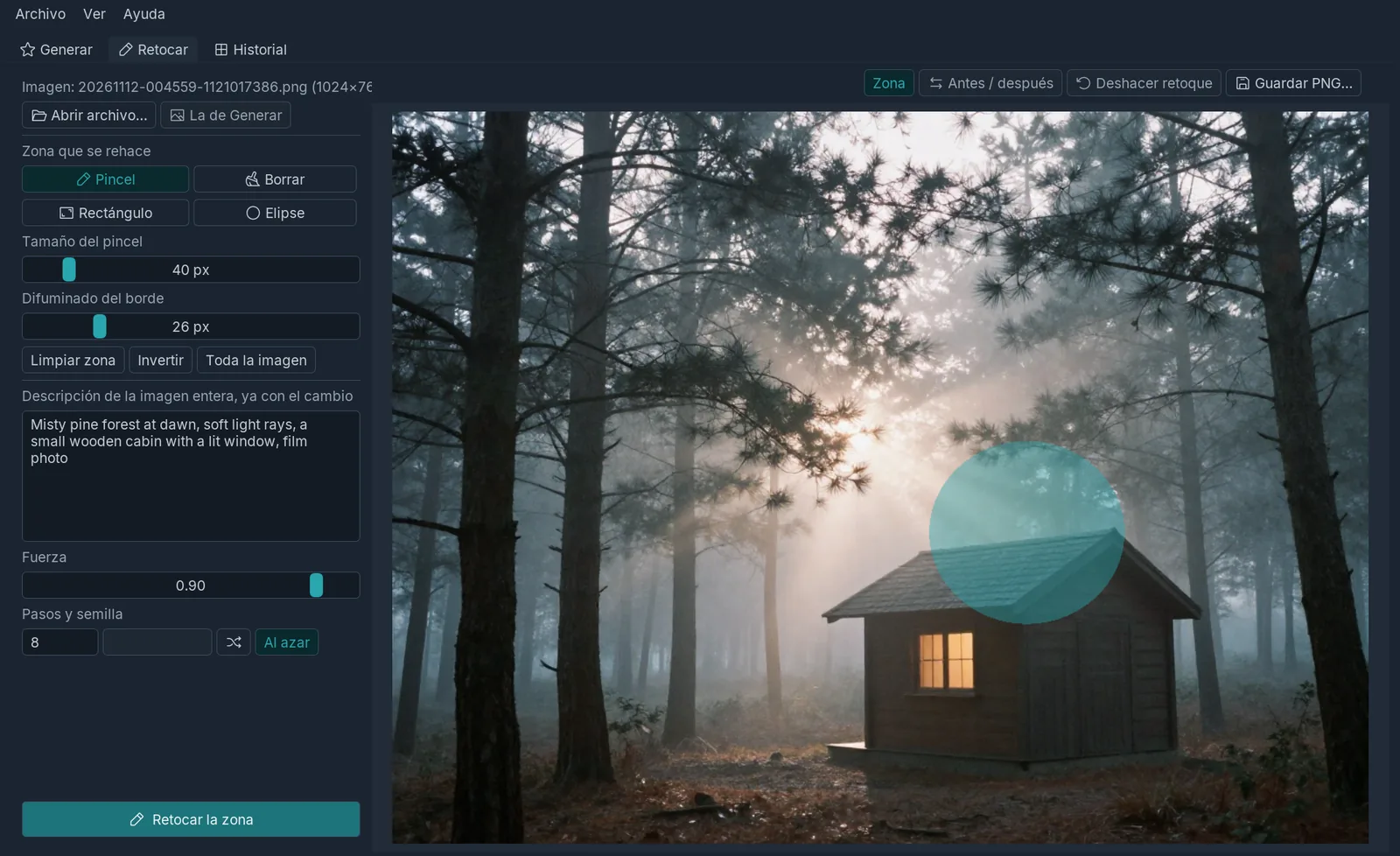
What it is
eImagina is a desktop application for generating and retouching images locally with the Z-Image-Turbo model. It has no model of its own: the work is done by eModelServer, on the same machine or on another one on the network. The app takes care of what the user sees: writing the description, choosing the area to redo and keeping a history of everything created.
How it works
eImagina sends each request to eModelServer's image service and receives the PNGs. By default it finds the local eModelServer's settings by itself (port, key and certificate), and File › Connection lets you point it at another machine. With network access enabled, the connection uses HTTPS and the certificate is only accepted if its SHA-256 fingerprint is the expected one.
When retouching, the chosen area is widened and feathered, and the result is blended with the original: outside the area, the image stays identical. With no area, the whole image is redone at the chosen strength.
Every generated or retouched image goes into the history automatically, with its thumbnail and a card holding the description and settings. It is portable: the data lives in a folder next to the executable.
Main features
- Generate from a description and a negative prompt, with sizes from 256 to 2048 pixels, steps, a fixed or random seed and 1 to 4 images at a time.
- Retouch an area painted with a brush, rectangle or ellipse, with adjustable edge feathering.
- Compare before and after by holding a button, and undo up to five retouches.
- Thumbnail history with search and a filter between generated and retouched.
- Reopen any image with the same settings, retouch it, save it as PNG, copy its description or delete it.
- Detached image in its own window that can be moved to another monitor.
- Light, dark or Midnight theme, with a choice of accent colour.
- Command-line options to generate, retouch, save and capture without touching the window.
Technology
Free Pascal with Dear ImGui through cimgui, on top of SDL2. On Windows, networking uses the system's WinHTTP, with no OpenSSL libraries; on macOS, the system's curl. The history stores each image as a PNG, with its thumbnail and a JSON file with the settings, and preferences are kept in a text file.
Limits
It depends on an eModelServer with the image generator installed: without it, nothing is generated. The model understands long descriptions in English better. The time per image depends on the graphics card of the machine acting as server.
Requirements
Not part of the app: installed separately from their official websites, each under its own licence.
- eModelServer
- Z-Image-Turbo model
 eModelServer
Local AI model server: chat, vision, embeddings, speech, images and music.