
eHubHelper
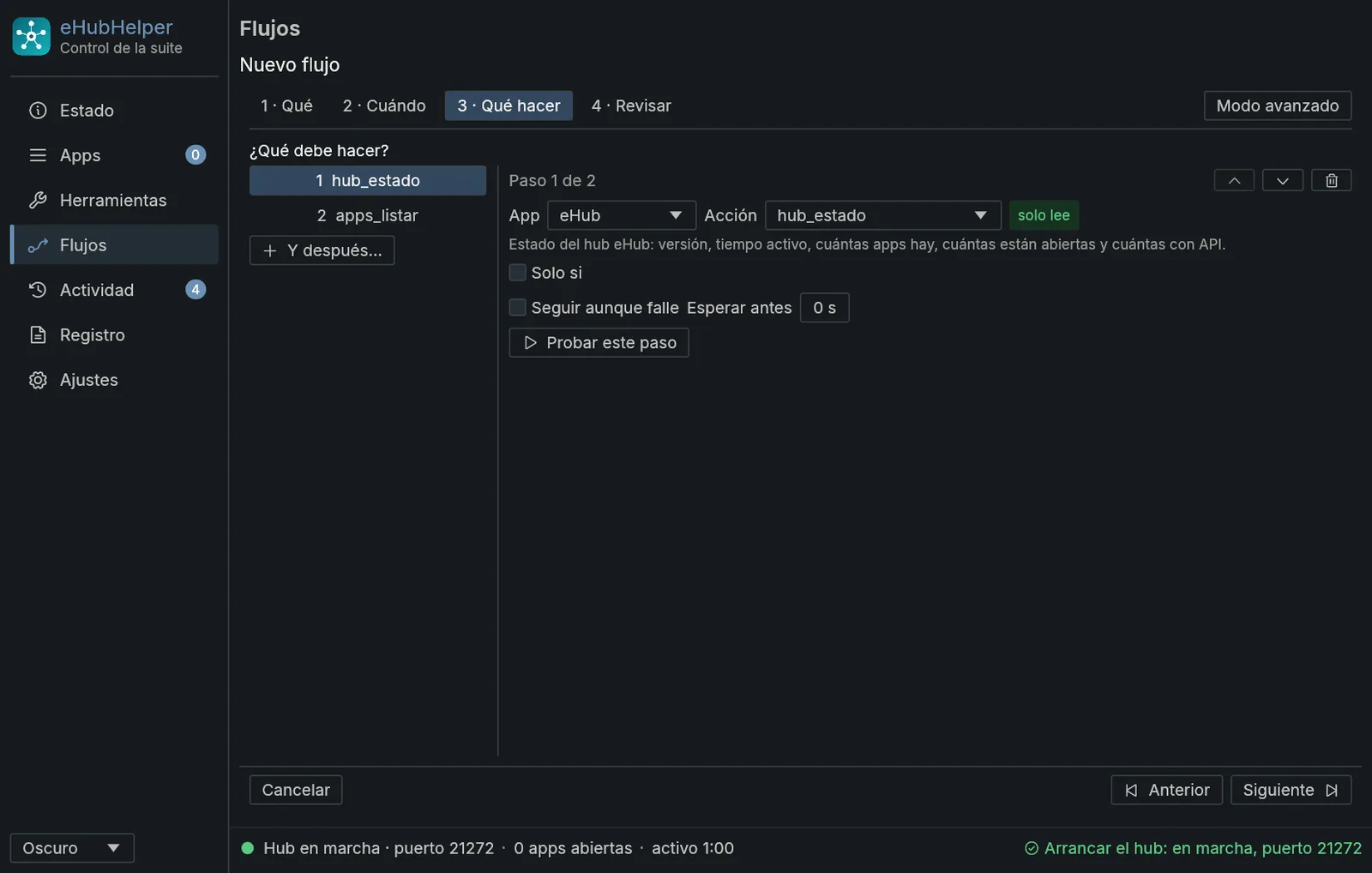
eHub's window: the hub that lets AI assistants query and drive the suite's apps, and that runs automated flows.
What it is
eHub is the meeting point between AI assistants and the suite's apps. An assistant can check an app's status, search its catalogue or ask it to do something, always within what that app chooses to offer. eHubHelper is its window: it shows what is happening in the hub and lets you manage it. Closing the window does not stop the hub.
How it works
There are three parts:
- eHub, the hub: a background process per user that starts when needed and shuts itself down after a while without use.
- eHub-mcp, a small MCP server that connects the AI assistant to the hub and starts it if it is not running.
- eHubHelper, the window.
Every app follows a common contract. With its «Control by assistant» switch on, which is off by default, the app opens an API on 127.0.0.1 only, generates a random token and announces itself to the hub. It declares its tools, each with its argument schema and its effect: read, write or destructive. The hub does not guess anything: whatever the app does not declare does not exist. Destructive actions always take two steps: one tool prepares the plan and returns a single-use token, and another confirms it. No tool ever returns passwords or keys.
The hub can also open and close any app in the suite even if it has no API, it collects the events the apps emit and it keeps a record of every call.
Main features
- Hub status, connected clients and apps with an active API.
- Tool catalogue for each app, with its description, schema and effect.
- Hide an app from the assistants without closing it.
- Per-client permissions: which tools each assistant can see and use.
- Kill switch that stops every call at once and stays on after the hub restarts.
- Live activity with filters and export, app events and a graph of who calls whom.
- Hub log to review what was done and when.
- Flows: a trigger (an app event, a time of day or by hand) and a list of steps that are tools. The hub runs them in the background, with no windows open. They are created with a four-step wizard or in advanced mode.
- Adapters for apps with their own API, such as local AI music generation in eModelServer.
- Start with the session and single instance.
Technology
Rust in a workspace with the contract core, the hub, the MCP server, the flow engine, the ehub-api library for apps and the window. The window uses egui and the house theme. The ehub-api library lets a Rust app expose its API with little code: local port, token, announcement, events and two-step confirmation.
Limits
Everything is local: the hub and the APIs only listen on the machine itself, reject requests with an Origin header and check the Host. Only apps that implement the contract can be controlled; the others can only be opened and closed. Flows never use destructive tools or confirmations, they have a repetition cap, and a flow created by an assistant stays disabled until a person switches it on.
 eProyectosIA
Status of every project and its pending tasks (kept up to date by an AI assistant), kanban, space per project and a live graph of the suite.